Get Messenger Link
1. How to Get the Messenger Link for Facebook Public Page
This chapter will explain how to obtain the messenger link for your Facebook public page.
2. Operation Instructions
2.1. Usage scenarios of messenger links
The Messenger Link Trigger in Robot-Automated Process supports the Messenger channel. When a Facebook user initiates a chat through your public page information link, the Messenger Link Trigger can be triggered.
2.2. Format of messenger link
As shown below, {{id}} needs to be replaced with your Facebook public page ID, and {{xxx}} can be customized or specified (in Messenger Link Trigger - Parameter Type, select the specified type to obtain).
2.3. Get the public page ID
2.3.1. Switch home page
First, log in to your Facebook homepage (https://www.facebook.com) > click on your avatar in the upper right corner > then switch to your public page.
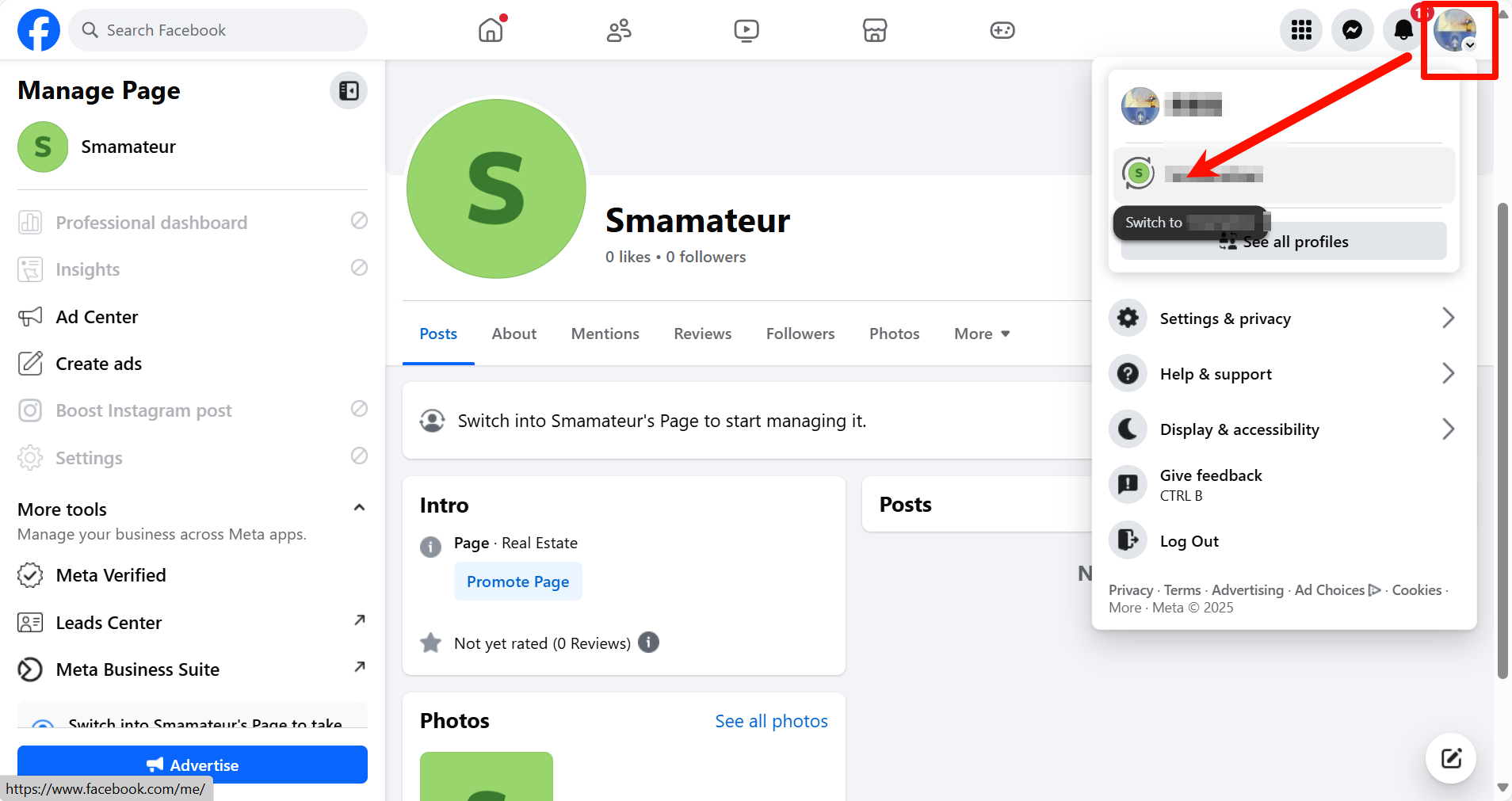
Note: After completing the previous step, the previous public homepage may still be displayed, so you need to click the upper right corner again, select the public homepage you want to go to, and jump.
2.3.2. Get ID
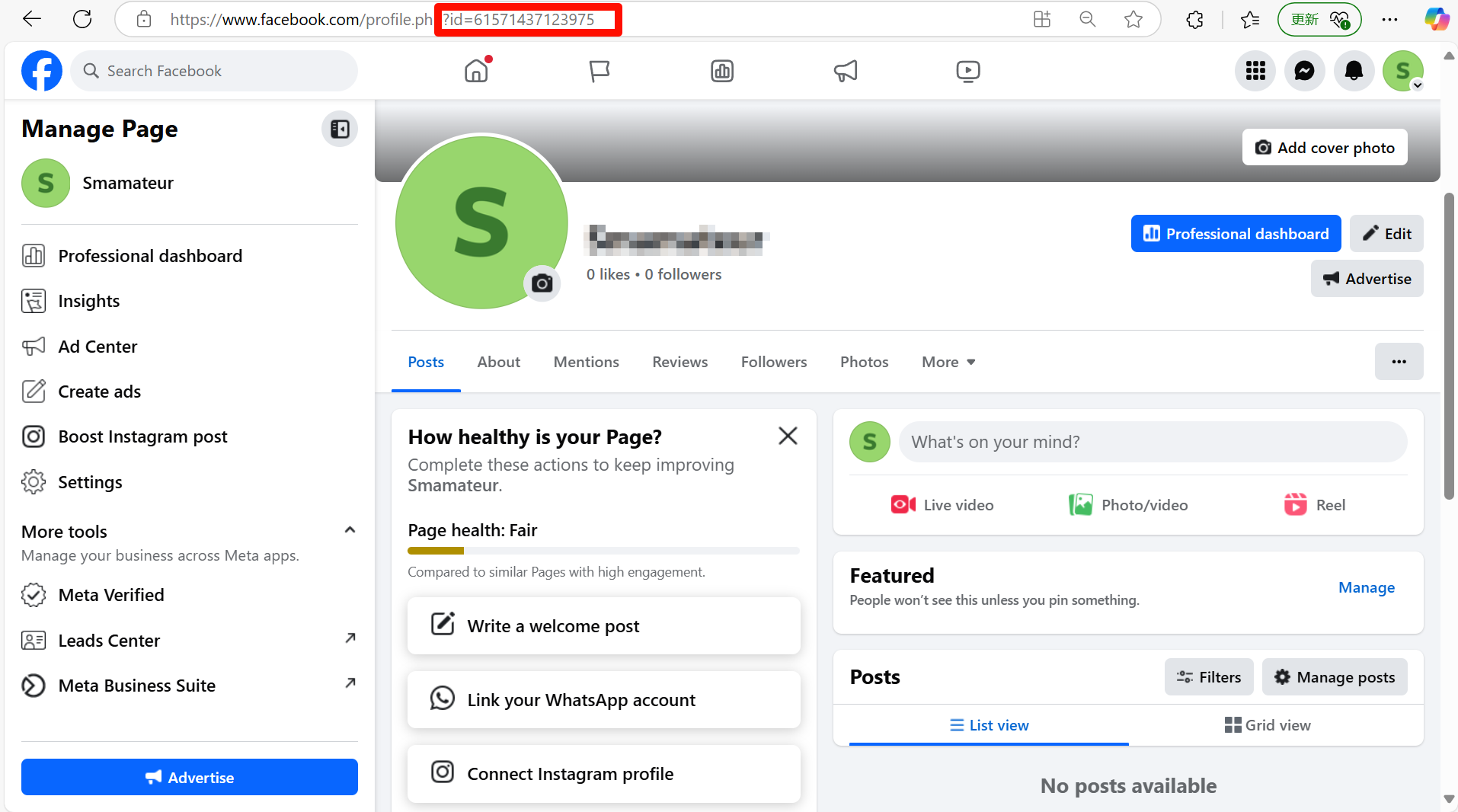
After switching to the public homepage, the string of characters after "id=" in the URL above is the ID number of your public homepage.
2.3.3. Fill in ID
At this point, just replace the ID with https://m.me/, the format is for example https://m.me/12232323233456.
